About
02 / 25
Chat
Create private live-chat rooms in seconds. Secure, real-time messaging for invite-only conversations.
How to use
- Tap +.
- Name the room, type a friend's username.
- Set the longest message, if you like: 10 to 777, 333 as it comes.
- Tap Create room.
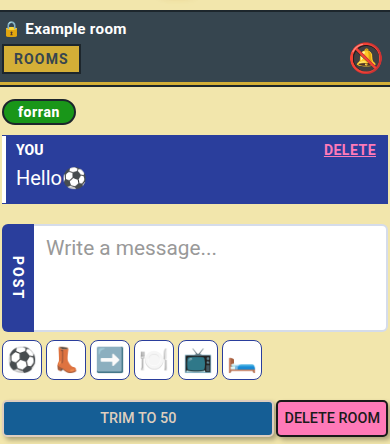
- Write a message, tap Post: it shows up live for both.
- Tap an emoji to add it; hold one to pin it to the top row.
- Tap 🔕 to get an alert on new messages.
📏 Limit: 777 characters per message; Trim to 50 keeps the newest 50.
Who can do what
- 👤 You: add or remove members, delete any message, Trim to 50, delete the room.
- 👥 Friend: write, delete own messages, Leave the room.
- ⚠️ Friend skipped? → They need a Multipass, or your free seat.