About
03 / 25
WallPro
Say it in color. Build a mosaic from colorful cells and add a short, personal message. A small peace of art, made just for one friend.
How to use
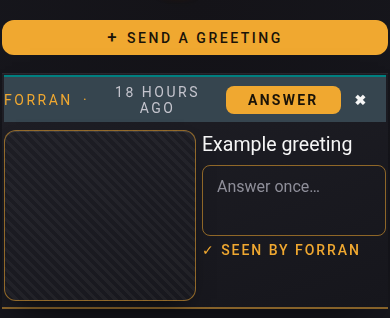
- Tap + Send a greeting.
- Stamp, if you like: tap a colour, then cells. The shape button paints triangles, Mirror paints both sides, Type adds letters.
- Write your greeting.
- Tap a saved name or type usernames.
- Tap Send.
- On a greeting to you: tap ✓ Seen, then write your Answer.
- Hold a saved name to forget it.
📏 Limit: 150 characters, 10 greetings a day, your newest 20 stay, 20 usernames per greeting.
Who can do what
- 👤 You: send, delete your own greetings, see who tapped Seen.
- 👥 Friend: tap Seen; answer once, only if the greeting went to them alone.
- 🪑 Free-seat guest: writes only to the host who seated them.
- ⚠️ "No Multipass"? → They need a Multipass, or your free seat.