About
23 / 25
Memory
Your personal memory storage
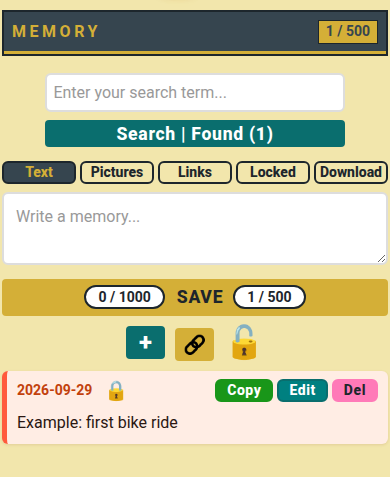
How to use
- Write a memory.
- Tap + to add a picture, 🔗 to add a link, 🔓 to lock it.
- Tap Save.
- On a memory, tap Copy, Edit or Del; tap 🔓 to lock or unlock.
- Search, or tap Text, Pictures, Links or Locked to filter.
- Tap Download to keep every memory in one text file.
📏 Limit: 500 memories, 1000 characters each, 50 pictures, 20 MB per picture.
Who can do what
- 👤 You: write, edit, lock, delete your memories.
- 🔒 Locked: stored scrambled; you still read it here.
- ⚠️ Download has words and links only: pictures stay here.