About
25 / 25
Banners
Banner for you, payments in credits
How to use
- Search the shop for banner, tap Add to Cart, pay in credits.
- Open your profile, tap ASSETS: the banner is yours.
- Type banner text and a link, pick Default or ★ Gold, tap Save Banner.
- To sell it: type a price, tap List for Sale; Update Price or Delist any time.
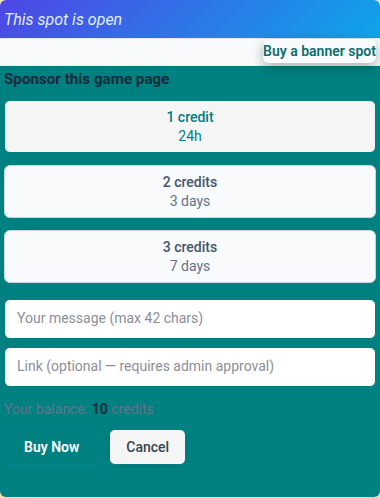
- On a game page, tap Buy a banner spot: 1 credit 24h, 2 credits 3 days, 3 credits 7 days. Type your message, tap Buy Now.
- Spot sold by auction? Tap Bid for this spot, then Bid. Outbid, your credits come back.
- Won the auction? Type your banner text, tap Submit banner text.
📏 Limit: 50 characters on your own banner, 42 on a game spot; links 50 characters.
Who can do what
- 👤 Owner: write text and link, pick the skin, sell, delist.
- 💳 Paid Multipass: your banner goes live at once; others wait for admin review.
- 🎮 Game page: a leased spot shows first; when none, the owner's banner shows.
- 🌍 Signed out: see banners and auctions; sign in to buy or bid.
- ⚠️ Not live yet? → Pending admin review, see Status on ASSETS.